Your Google Business Profile is often where a guest meets your café before they walk in.
They may be checking your hours. They may be looking for parking. They may want to know if your place feels cozy, quick, quiet, bright, or good for a pastry and coffee. Photos help answer those questions fast.
Good photos do not need to be fancy. They need to be clear, current, and honest.
Why photos matter on your Google profile
Google itself has said photos matter. The Google Small Business blog in July 2016 said, “Google My Business listings with photos get 35% more clicks and 42% more requests for directions than those without.”
That figure is from 2016, and it does not mean photos alone bring people in the door. It does mean Google saw a clear difference between listings with photos and listings without them.
BrightLocal also looked at Google profile photos. In its 2019 study of 45,264 businesses, the median business had 11 photos on its Google profile, while restaurants had a median of 67. BrightLocal itself says its photo findings show correlation, not cause.
That caveat matters. A busy café may naturally have more photos because more guests visit and take pictures. Still, the takeaway is practical: if your profile looks empty, old, or random, it may not represent your shop well.
You do not need to overthink it. Start with the photos a guest actually needs.
The photos every café profile needs
Think like a person who has never visited you.
They want to know:
- Where is the door?
- What does it look like inside?
- What can I order?
- Does this feel like my kind of place?
- Is this business active and cared for?
Your Google profile should cover those basics.
Exterior photos
Add real photos of your storefront.
Show the door, sign, windows, and anything that helps people recognize your café from the street or parking lot. If your entrance is tucked away, make the photo helpful. A clear exterior photo can reduce confusion before a guest arrives.
Do not use AI for this. Your exterior photo must be a real photo of your actual shop.
Interior photos
Add real photos of the inside of your café.
Show the seating, counter, lighting, and general feel. Guests want to know if your space is bright, small, quiet, lively, work-friendly, kid-friendly, or grab-and-go.
Again, this must be your real shop. Do not use AI for interiors. Do not make the room look larger, cleaner, newer, or different from what guests will see.
Counter and menu board photos
Your counter and menu board help guests understand how to order.
If your menu board is readable in a photo, great. If not, still show the counter area so people know what to expect. Keep these photos current when the layout changes.
If your menu changes often, your written menu on Google matters too. The photo is there to support it, not replace it.
Best drinks and food
Add clear photos of your drinks and food.
This is where your café can look warm and appetizing without being misleading. Show the items people ask about. Show the latte, cold brew, breakfast sandwich, pastry case, seasonal drink, or signature toast.
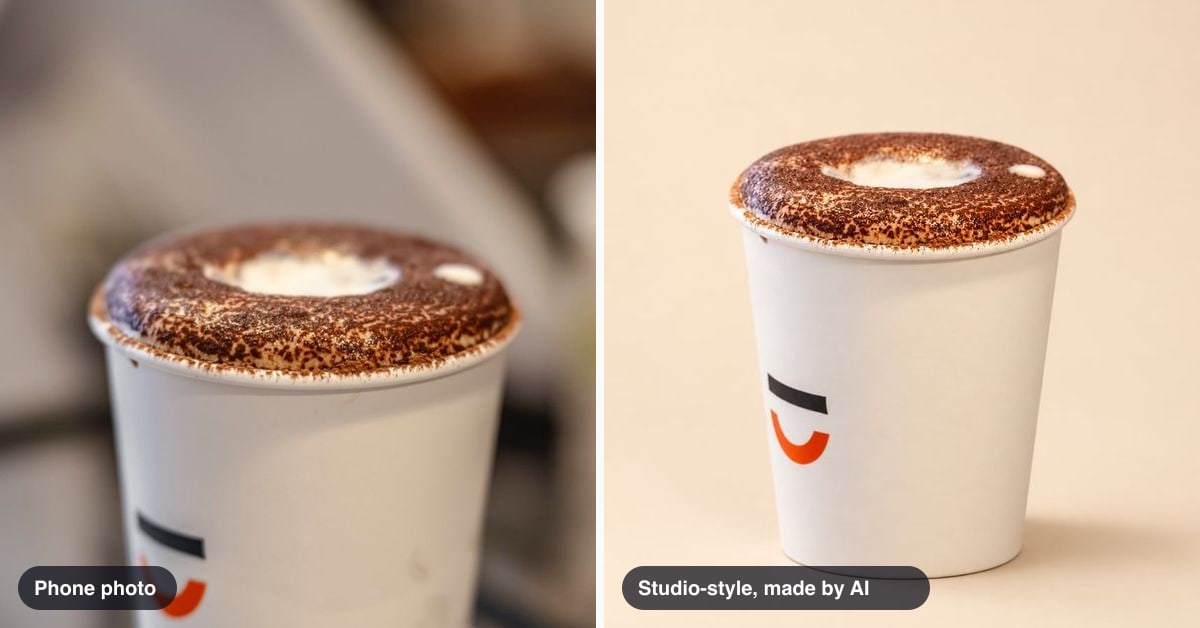
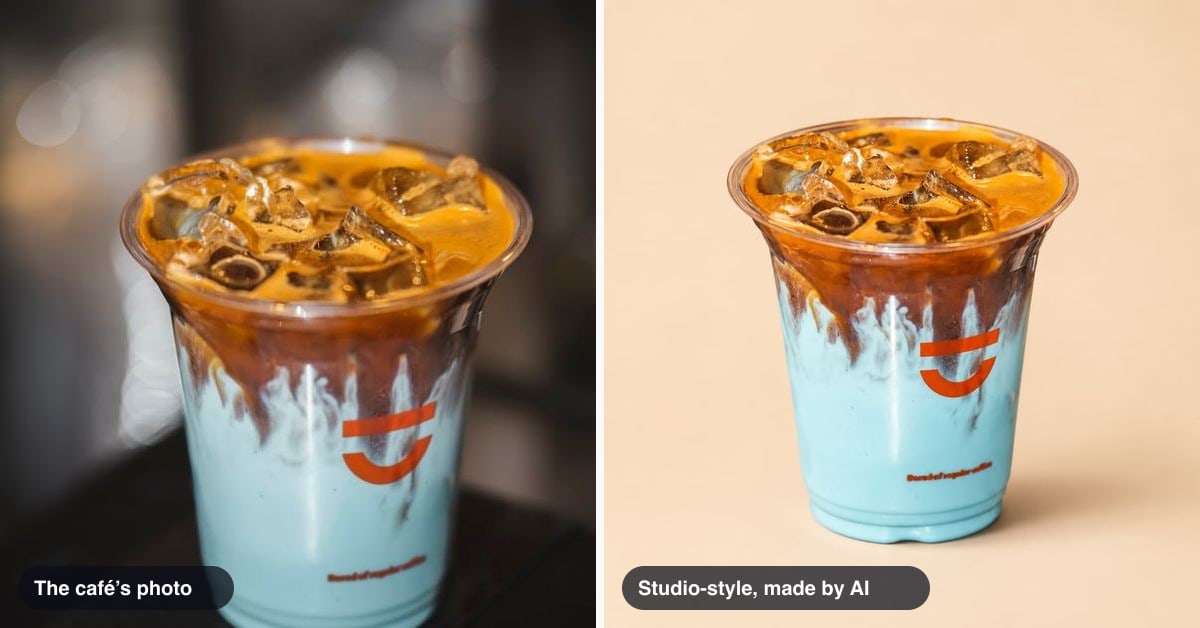
These photos can be real camera photos. They can also include AI-made product shots or posters of your own drinks, as long as they are based on your own photos and checked before posting.
More on that below.
Team photos, with permission
Team photos can make your café feel human.
Only use real photos of your team. Ask permission before posting. Do not use AI for people who work at your shop. Do not create fake baristas, fake guests, or a fake scene.
A photographer can be helpful here. A photographer can shoot the shop, the team, and events. QuickStok makes pictures of your café’s drinks and food from your own photos. QuickStok never invents the shop.
Drink and food photos that work well
Your drink and food photos do not need to look like a national ad campaign. They just need to make the item easy to understand.
A good café product photo usually has:
- A single main subject
- Clean light
- A simple background
- No clutter around the cup or plate
- The actual item the guest can order
Daylight helps. Set the drink near a window when the light is soft. Avoid harsh shadows if you can. Wipe the cup. Turn the logo forward if that matters. Move extra napkins, lids, keys, and receipts out of the frame.
For food, show texture. A pastry should look fresh. A sandwich should show what is inside. A bowl or toast should be clear enough that a guest knows what they are looking at.
Refresh these photos when your menu changes. If a drink is gone, do not keep making it the star of your profile. If your seasonal menu is live, make sure the photos match what people can order now.
Owner photos vs customer photos
Your Google profile can include photos you upload and photos customers upload.
Those are different.
You control your own photos. You choose what to show. You can make sure they are current, accurate, and useful.
Customers control what they add. Their photos may be great. They may also be blurry, dark, old, or focused on something that does not represent your café well. You cannot count on customer photos to tell the full story.
That is why owner photos matter.
They let you set the baseline. You can show the entrance, the menu area, the drinks you care about, and the real feel of your space.
You can also keep your profile from being defined by a random photo someone took in bad light.
While you are checking your profile, it can also help to look at your reviews. QuickStok has a free Google review check you can use when you want a quick look at what guests are saying.
How often to add photos
Use a rhythm you can keep.
For most cafés, the natural rhythm is the menu. When the menu changes, check your Google photos.
Ask:
- Do these photos still match what we sell?
- Are our best items easy to find?
- Does the storefront still look the same?
- Has the inside changed?
- Are there old seasonal items that should stop being featured?
You can also add photos when you update the shop, change signage, launch a new drink, add a pastry, or improve the menu board.
Do not make this a huge project. A steady habit is better than a big cleanup that never happens.
Keep a small folder on your phone or computer with your best café photos. When you have a good shot, save it there. Later, when you update your Google profile, you are not starting from scratch.
Using AI pictures of your drinks on Google
AI pictures can be useful for café drinks and food, if you use them carefully.
They are a fit for:
- Product shots of your own drinks
- Product shots of your own food
- Simple posters for your own menu items
- Seasonal drink graphics made from your own photos
They are not a fit for:
- Your storefront
- Your dining room
- Your team
- Your guests
- Anything that makes your café look like a different place
The rule is simple: use AI to help present the real items you sell. Do not use it to fake the shop.
QuickStok’s Content plan is $29 a month and makes 40 pictures a month from your own photos. It can make studio-style drink and food pictures, write post text from your menu, and post to your Google Business Profile.
Every new account can make 2 pictures free, once.
AI pictures can get small details wrong, like printing on a cup, so you should check every picture before posting. Look at the cup, label, food shape, garnish, spelling, and anything with your logo. If it looks off, do not use it.
If you want to see the kind of difference a cleaner product image can make, try the free studio shot or look through these before-and-after examples.
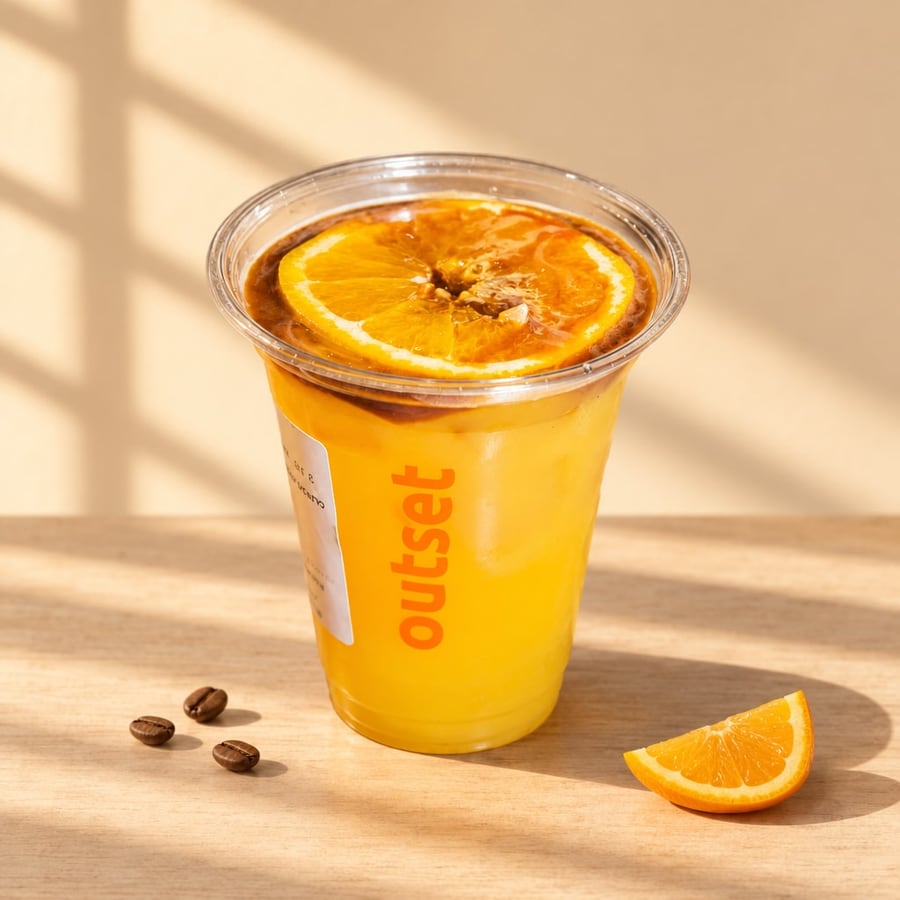
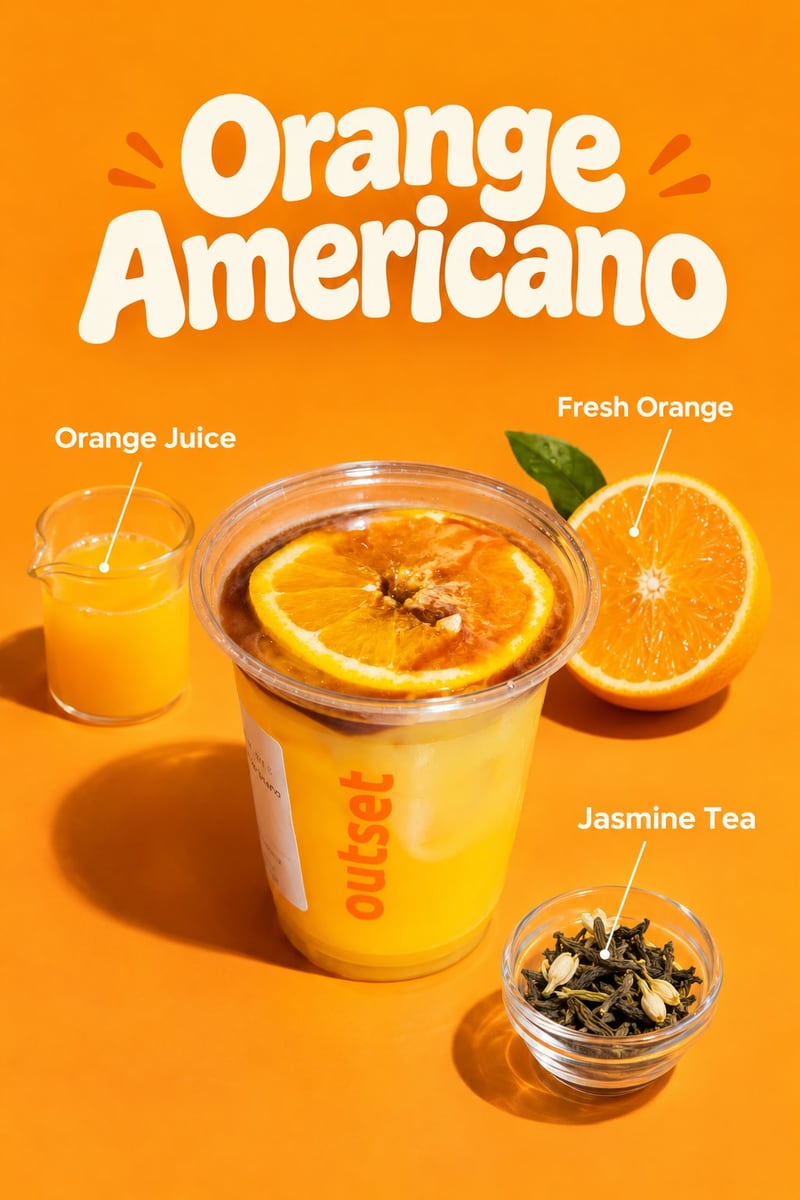
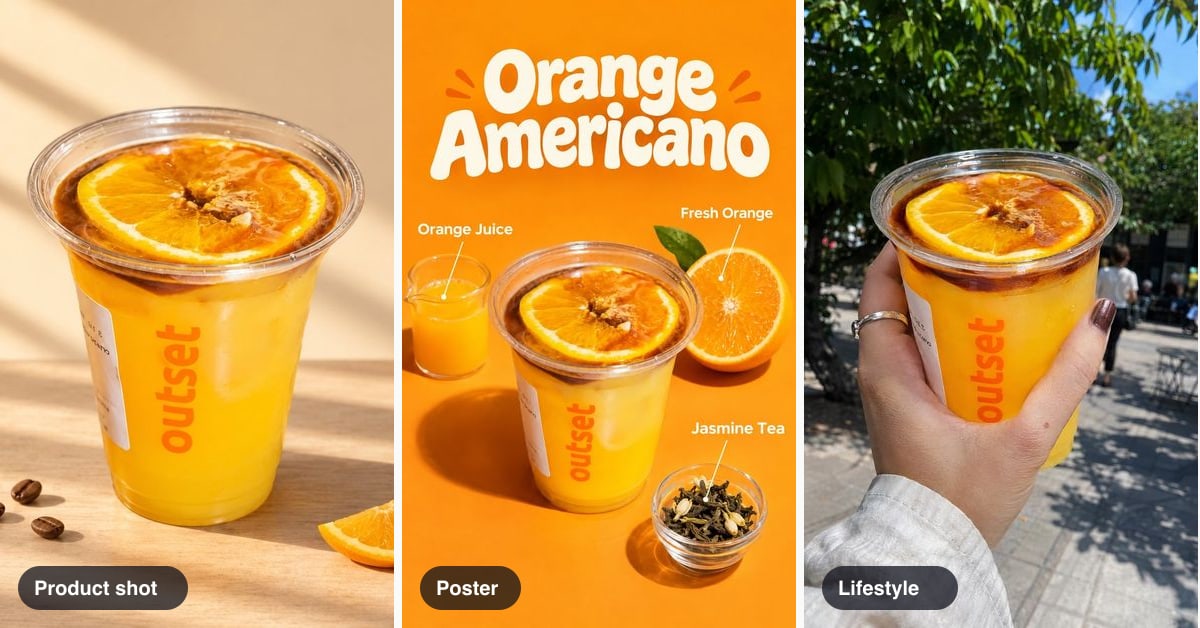
A product shot and a poster, both made by AI from one photo of the café’s own drink.
Quick checklist
Use this when you update your Google Business Profile photos.
- Add a clear real exterior photo of your café
- Add real interior photos that show the space honestly
- Add the counter or menu board area
- Add clear drink photos
- Add clear food photos
- Add team photos only with permission
- Use daylight when you can
- Keep each drink or food photo focused on the item
- Refresh photos when the menu changes
- Remove attention from items you no longer sell
- Do not use AI for your shop, storefront, team, or guests
- Use AI only for your own drinks and food, based on your own photos
- Check every AI picture before posting
Your Google profile does not need to be perfect. It needs to be useful.
Show people how to find you. Show them what the café feels like. Show them what they can order. Keep it current enough that a new guest is not confused.
That is a strong place to start.