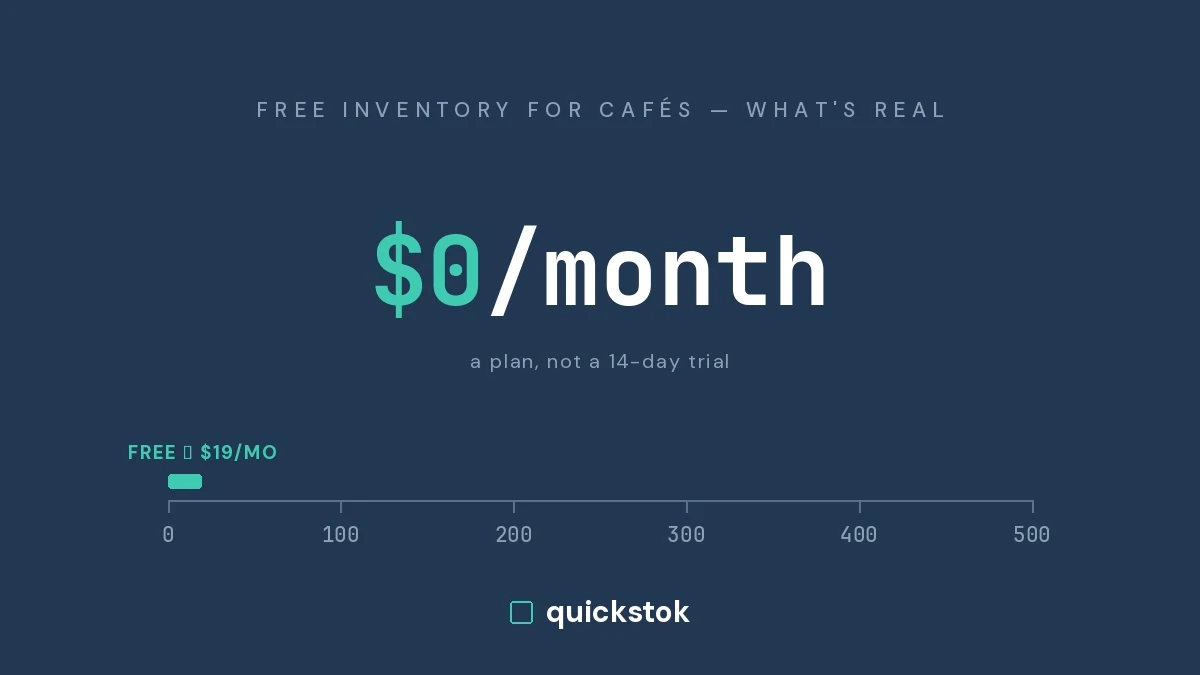
Cafe inventory software runs from $0 to $500 per location per month. The free end is real — a spreadsheet, your POS's built-in item counts, or a free plan — and the paid end starts around $199/month and climbs quickly once onboarding fees and per-location billing are counted.
Every figure below comes from the vendor's own published pricing page, checked on 26 July 2026. Where a vendor does not publish pricing, this post says so rather than repeating a number from a comparison site.
What do cafe inventory tools actually cost per month?
Most vendors in this category do not publish pricing at all, which is why the question is hard to answer and why so many comparison pages quote figures with no source.
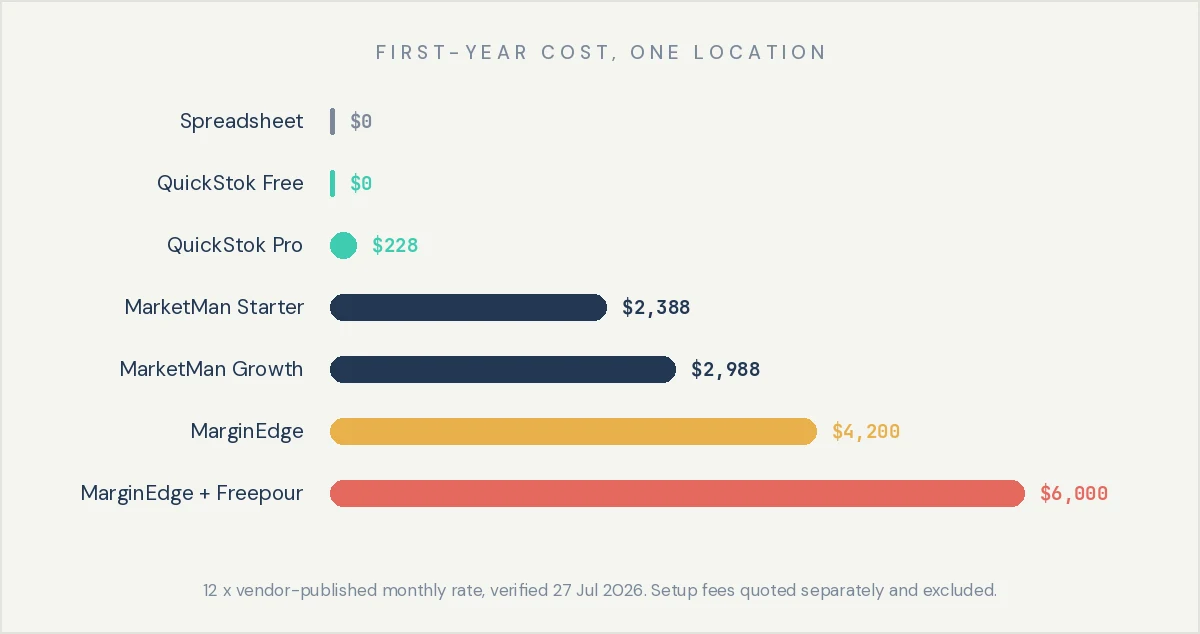
A few details that materially change the number and are easy to miss. MarketMan lists a setup cost separately from the subscription — at the time of writing they were running a promotion offering it free, valued at $1,500, so confirm what applies when you enquire. MarginEdge charges per location, and Toast users incur an additional $50/month per location for Toast's Restaurant Management Suite. Restaurant365 publishes no pricing publicly.
The takeaway: the paid tier of this category starts near $200 per location per month, and per-location billing means the number scales with your footprint rather than your usage.
 .webp)
What does a full year cost?
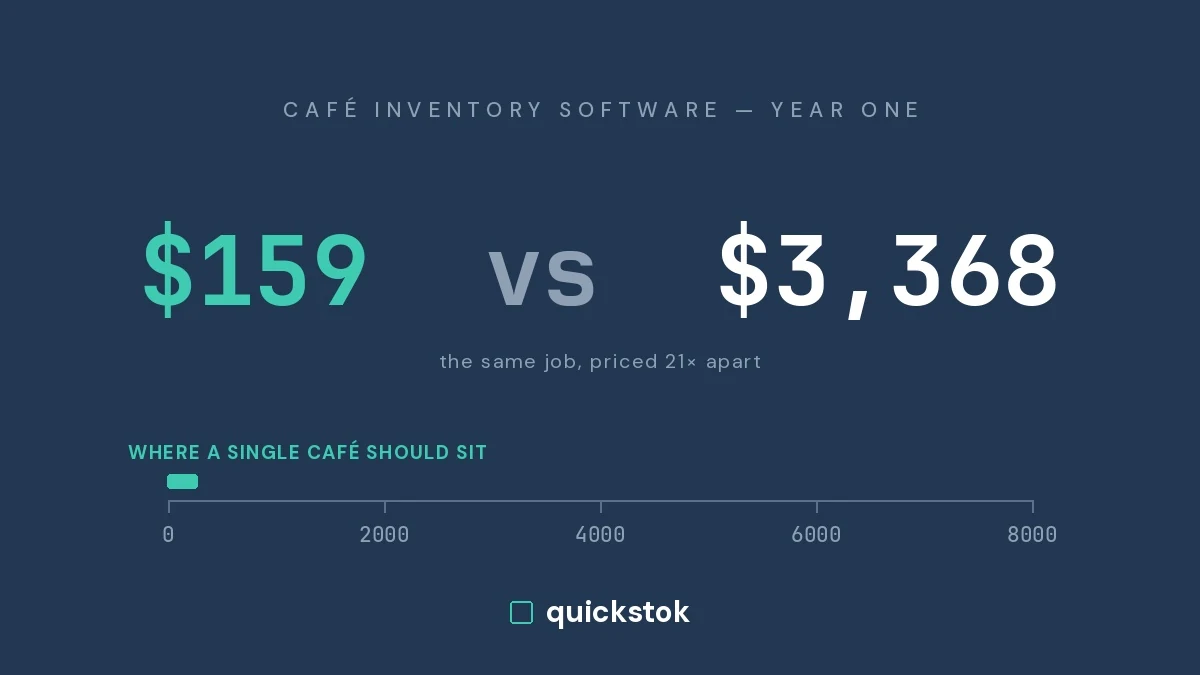
Monthly price understates the commitment, because setup fees land in year one and annual plans lock the term.
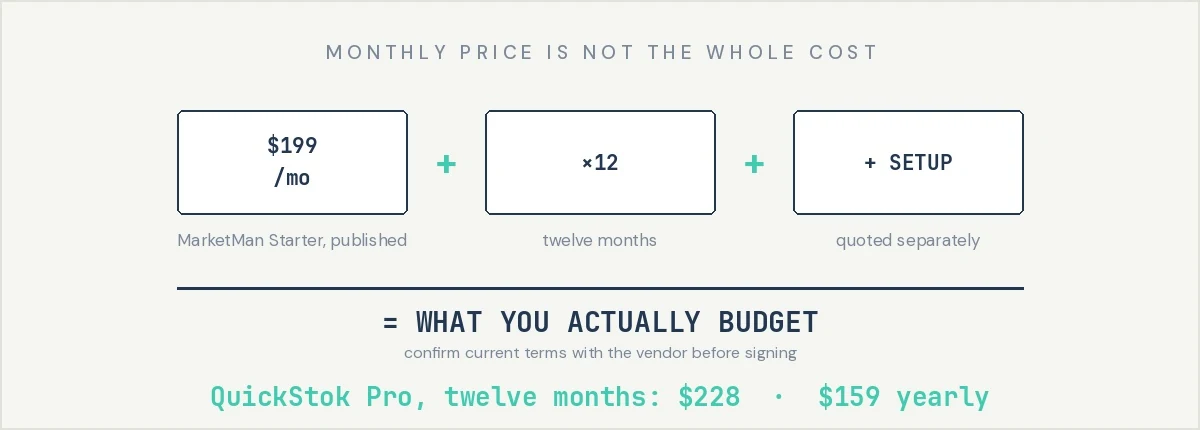
The takeaway: compare twelve-month totals including setup, not monthly headline prices — setup fees in this category can exceed a year of a small tool's subscription.
Is free inventory software actually free, or is it a trial?
Worth asking, because a lot of what ranks for "free restaurant inventory software" is a trial with a credit card attached.
Three things are genuinely free and permanent:
A spreadsheet. Fine for a cafe under roughly 40 SKUs. Our free coffee shop count sheet template is a working example. It stops scaling when you need usage history, par levels that update themselves, or more than one person counting.
Your POS's built-in inventory. Square and Toast both include item-count tracking at no extra cost. It tracks what you sell, not what you use — it can tell you that you sold 240 lattes and cannot tell you how much oat milk that consumed. We covered where POS inventory runs out in more detail.
QuickStok's free plan. No credit card, no expiry. Up to 250 inventory items, 15 AI receipt extractions a month plus 10 extra in your first week, 3 Hopper AI messages a day, up to 25 recipes, 3 staff PINs, and AI-suggested par levels. The honest limit is receipts, not items: 15 a month covers a cafe taking two deliveries a week, and a shop taking four will pass it around week three.
The takeaway: free is real in this category, but every free option has a hard edge — usually item count, location count, or the absence of ingredient-level tracking.
When is the expensive tool the right call?
Often, and any page telling you otherwise is selling something.
Pay for the larger platforms when you run multiple locations and need consolidated purchasing; when you need accounting integration that pushes invoice-level detail into QuickBooks, Xero, or Sage without re-keying; when you employ a bookkeeper or ops manager whose hours the software actually saves; or when you need supplier EDI and ordering against contract pricing at scale.
MarginEdge in particular is built around getting invoice data into accounting, and for an operator who needs that, $350 a location is a fair price for work someone would otherwise do by hand. Restaurant365 is a full back-office platform where inventory is one module among accounting, scheduling and payroll — if that is the scope you need, the comparison is not really about inventory tools at all.
What these platforms are not is proportionate to one cafe doing $4,000 to $15,000 a month in purchasing with no bookkeeper. At that size the recoverable waste is typically a few hundred dollars a month, and a subscription near $200 consumes most of it.
The takeaway: the larger platforms are priced for multi-location operators with back-office staff, and for that reader they are worth it.
Which is right for a single-location coffee shop?
Ranked for one cafe, one owner, no bookkeeper:
- Spreadsheet — $0. Right under ~40 SKUs.
- POS built-in — $0. Right if your losses are in retail units rather than ingredients.
- A free plan — $0. Right when the spreadsheet starts costing you evenings, or staff need to count on their phones.
- A sub-$50 tool — under $500/year. Right when you want ingredient-level tracking and receipt capture without a four-figure commitment.
- MarketMan, MarginEdge, Restaurant365 — $2,400 to $6,000+/year. Right at multiple locations, or when accounting integration is the actual requirement.
The deciding question is not price, it is whether your problem is counting or accounting. Counting problems are solved cheaply. Accounting problems are not.
The takeaway: for a single cafe, the useful question is which job you need done, not which tool is cheapest.
How to switch without losing your history
Export your current item list to CSV — one click from a spreadsheet, usually Items → Export from a POS. Import it, then spend twenty minutes fixing units, because that is where migrations actually go wrong: your supplier sells oat milk by the case of 12, you count it by the carton, and your recipes use it by the litre. Get those three relationships right once and everything downstream — par levels, food cost, reorder points — computes correctly from then on.
Then run one full count before trusting any number the new system gives you. An inventory tool with no starting count is an expensive list.
The takeaway: budget twenty minutes for unit setup during migration — it is the difference between accurate food cost and confident nonsense.
Pricing verified against each vendor's published pricing page on 26 July 2026. Vendors change prices and terms, and several quote setup and onboarding separately — confirm current figures directly before signing anything.